
Reset Windows 10 or 11 Password Without Losing Data | No Bootable USB


Today, in my blog, I am going to show you how to reset a Windows password if you have forgotten it. In most cases, we format Windows after forgetting the password, but we can also reset the password without losing any data. You don't need a pen drive or bootable USB drive, and most users don't know about it. This method should work in Windows 8, 8.1, 10, and 11. I didn't check on Windows 7, so I can't say whether it works or not.
Here is the process to reset the Windows Password that you can follow.
Open the Windows login and click on the Power button, and then click on Restart while holding the Shift button on your keyboard

Here, click on Restart anyway, and still hold the Shift key until the system restarts.

After the system starts, it will open this screen, and here click on Troubleshoot

Here, go to the Advanced options.

In the Advanced options, go to Command Prompt.

It will open Command Prompt, and follow the command.
Go to the C: drive
C:Then go to the Windows Folder.
cd windowsThen system32 folder
cd system32Now rename the utilman.exe file to utilman1.exe
ren utilman.exe utilman1.exeAnd now rename cmd.exe file to utilman.exe
ren cmd.exe utilman.exeThen exit the command prompt
exit

Here, click on Continue.

Your system will restart, and it will be on the login screen. Now click on the utilman icon.
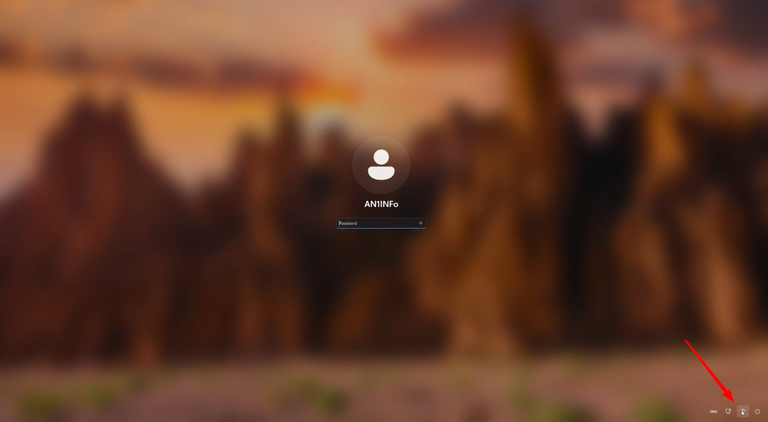
It will start the Command Prompt, and now follow the command.
control userpasswords2
It will open User Account

Here, select the user account which accoount's password you want to reset.

And here, set the new password, click OK, and then again click Ok.

Now close the Command Prompt.

Now open and unlock your system with the new password.

And it's done.
I hope the blog is very informative for you. If you still face an issue, feel free to reply with your issue, or you can also watch the full video, which I have already uploaded on YouTube.
This post has been manually curated by @bhattg from Indiaunited community. Join us on our Discord Server.
Do you know that you can earn a passive income by delegating to @indiaunited. We share more than 100 % of the curation rewards with the delegators in the form of IUC tokens.
Here are some handy links for delegations: 100HP, 250HP, 500HP, 1000HP.
100% of the rewards from this comment goes to the curator for their manual curation efforts. Please encourage the curator @bhattg by upvoting this comment and support the community by voting the posts made by @indiaunited.
Congratulations @an1info! You have completed the following achievement on the Hive blockchain And have been rewarded with New badge(s)
Your next target is to reach 4500 upvotes.
You can view your badges on your board and compare yourself to others in the Ranking
If you no longer want to receive notifications, reply to this comment with the word
STOP