
Fix ‘Unable to Access Location’ Error in Linux

NTFS (New Technology File System) was developed by Microsoft for the Windows operating system. It's the default Partation file system used by modern Windows operating systems to store, organize, and retrieve files on hard drives and SSDs.
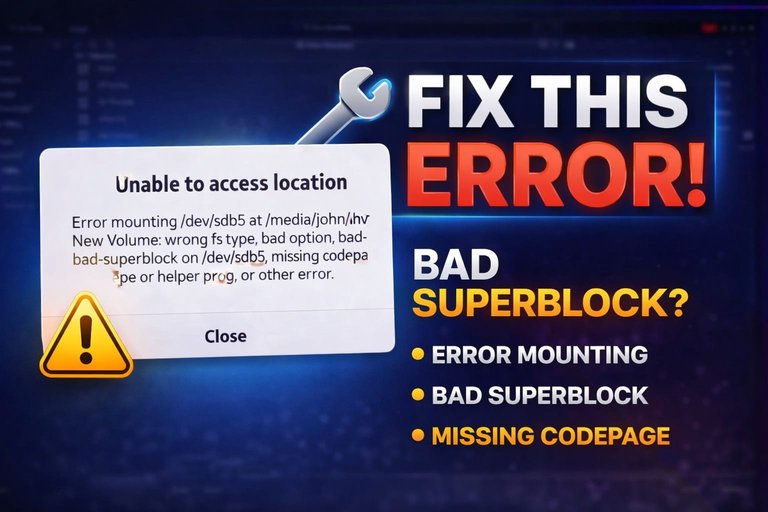
Unfortunately, the Linux operating system doesn't support NTFS partitions; it cannot read a Windows drive, and when we insert, or open or mount an NTFS partition HDD/SSD or USB drive on a Linux system, we get an error- unable to access location, error mounting, wrong fs type, bad option, bad superblock, missing codepage or helper program, or other error. It's asking to format the drive, and we get very distressed; we think our disk or drive has corrupted, and we have lost all our important and sensitive data.

This happens because the NTFS file system is not natively supported by Linux, but we can still access the NTFS partition drive. To access the NTFS partition drive, we have to change the partition to any Linux-supported file system. So I am going to show you in this blog how to access an NTFS drive on Linux. This will work on any Debian-based Linux operating system, such as Ubuntu, Kali Linux, Linux Mint, Debian, Parrot Os, Fedora, and more.
Open the terminal, and first have to install some required tools for it. Type-
sudo apt-get install nfs-commonsudo apt-get install cifs-utilsNow change the file system type-
sudo ntfsfix -d (drive location)
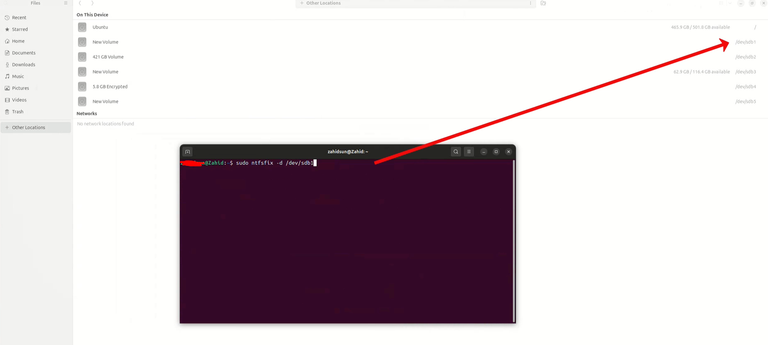
If I want to fix my first drive, I will have to type -
sudo ntfsfix -d /dev/sdb1
After pressing Enter, the file system will be upgraded, and now it will be easy to access your drive.

That's all. If you also want to see live action, or are having issues while fixing it. You can watch the complete video-
Congratulations @an1info! You have completed the following achievement on the Hive blockchain And have been rewarded with New badge(s)
Your next target is to reach 2250 upvotes.
You can view your badges on your board and compare yourself to others in the Ranking
If you no longer want to receive notifications, reply to this comment with the word
STOPCheck out our last posts:
This post has been manually curated by @bhattg from Indiaunited community. Join us on our Discord Server.
Do you know that you can earn a passive income by delegating to @indiaunited. We share more than 100 % of the curation rewards with the delegators in the form of IUC tokens.
Here are some handy links for delegations: 100HP, 250HP, 500HP, 1000HP.
100% of the rewards from this comment goes to the curator for their manual curation efforts. Please encourage the curator @bhattg by upvoting this comment and support the community by voting the posts made by @indiaunited.